
The landscape of software development has been fundamentally transformed by AI coding assistants. In 2024, over 92% of developers reported using AI tools in their workflow, and the market is projected to reach $6.8 billion by 2028. Whether you're a seasoned developer or just starting your coding journey, understanding these tools is no longer optional—it's essential.
This comprehensive guide breaks down the most powerful AI coding assistants available today, helping you choose the right tool for your specific needs. We'll explore features, pricing, use cases, and real-world performance to give you actionable insights you can apply immediately.

🚀 GitHub Copilot: The Industry Standard
GitHub Copilot, powered by OpenAI's Codex model, remains the most widely adopted AI coding assistant with over 1.8 million paid subscribers as of late 2024. Integrated directly into your IDE, it offers real-time code suggestions as you type, making it feel like pair programming with an AI partner.
Key Features:
- Multi-language support for Python, JavaScript, TypeScript, Ruby, Go, and 50+ languages
- Context-aware suggestions based on your entire codebase
- Chat interface for code explanations and refactoring
- Security vulnerability detection and fixes
- Seamless integration with VS Code, Visual Studio, JetBrains IDEs, and Neovim
Pricing: $10/month for individuals, $19/month for Copilot Business with additional features like code referencing and organization-level policies.
💡 Pro Tip: Use Copilot's /explain command in chat to understand complex legacy code. It's saved developers an average of 55% time on code comprehension tasks.

🤖 Claude Code: The New Challenger
Anthropic's Claude has emerged as a powerful alternative, especially with the release of Claude 3.5 Sonnet and now Claude Sonnet 4. While not traditionally packaged as a dedicated "coding tool," Claude excels at complex programming tasks through its extended context window (200K tokens) and superior reasoning capabilities.
What Makes Claude Special:
- Extended context allows analyzing entire codebases at once
- Excellent at architecture design and system planning
- Strong multi-step reasoning for debugging complex issues
- Artifacts feature for interactive code generation and preview
- Better at following specific coding standards and style guides
Best Use Cases:
- Refactoring large legacy systems
- Writing comprehensive technical documentation
- Designing system architectures
- Code reviews and security audits
Access: Available through Claude.ai ($20/month for Pro), API integration, or through tools like Cursor IDE that support Claude models.
⚡ Cursor: AI-First IDE Revolution
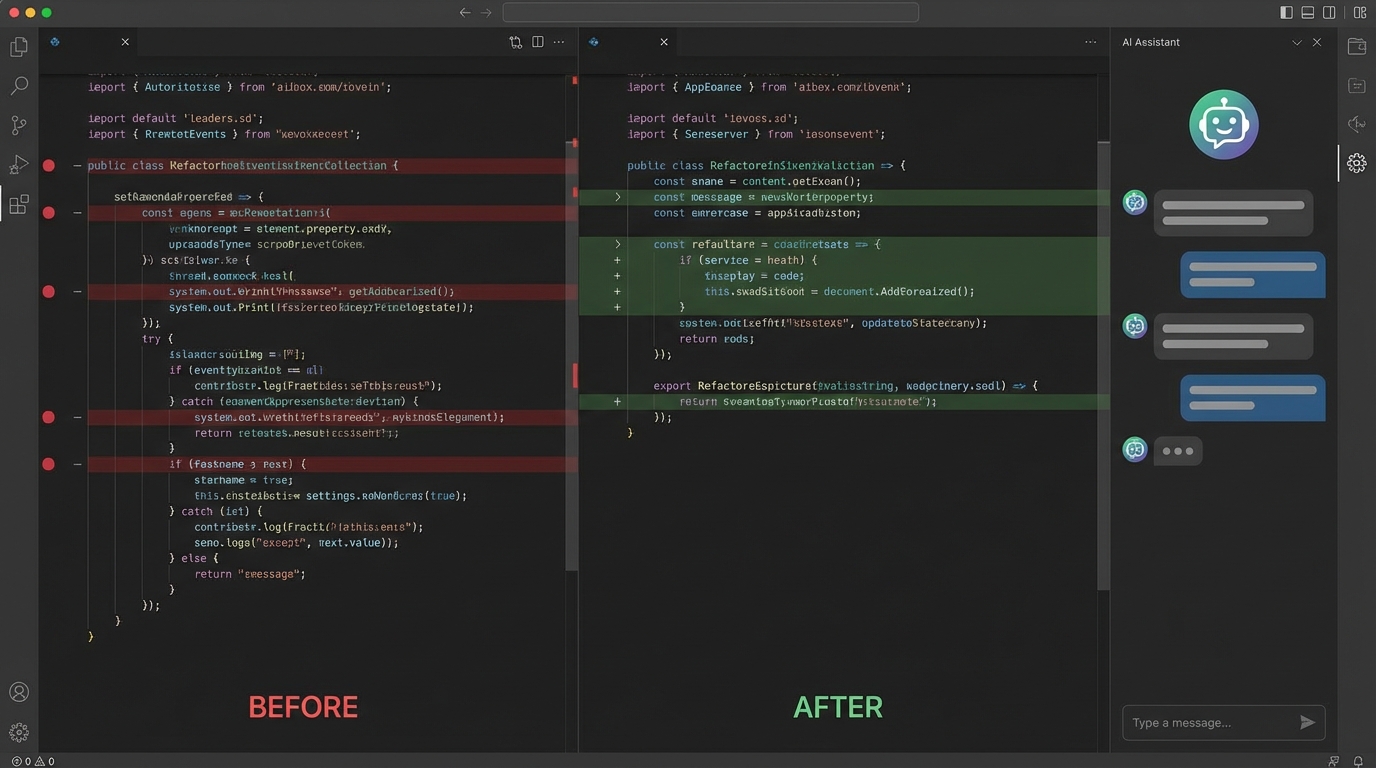
Cursor has taken the developer community by storm in 2024, positioning itself as the first truly AI-native code editor. Built as a fork of VS Code, it integrates multiple AI models including GPT-4, Claude Sonnet, and custom models into every aspect of the development experience.
Standout Features:
- Cmd+K: Inline AI editing that understands your cursor position and context
- Composer: Multi-file editing across your entire project
- Codebase indexing: AI understands your entire project structure
- Terminal integration: AI helps with command-line tasks
- Model selection: Switch between GPT-4, Claude, and other models
Pricing: Free hobby plan, $20/month Pro for unlimited AI requests and premium models.
💡 Developer Insight: Many developers report 40-60% faster feature implementation when using Cursor's Composer mode for multi-file changes.
🔧 Other Notable AI Coding Tools
Amazon CodeWhisperer: Now free for individual developers, it's tightly integrated with AWS services. Perfect if you're building cloud-native applications on AWS infrastructure. Supports 15+ languages with real-time security scanning.
Tabnine: Privacy-focused with on-premise deployment options. Popular in enterprise environments where code security is paramount. Offers team learning from your organization's codebase without sending data to external servers.
Replit Ghostwriter: Integrated directly into the Replit online IDE, making it ideal for education, prototyping, and collaborative coding. Great for beginners and quick projects.
Codeium: Free alternative to Copilot with surprisingly good performance. Supports 70+ languages and integrates with 40+ editors. An excellent choice for individual developers and students.

📊 Performance Comparison: Which Tool Wins?
According to recent benchmarks from HumanEval and independent developer surveys:
- Code completion accuracy: GitHub Copilot leads with 46% acceptance rate, followed by Cursor at 42%
- Complex reasoning tasks: Claude Sonnet 4 outperforms with 88% success rate on multi-step problems
- Speed: Codeium and Tabnine offer fastest inline suggestions (under 100ms)
- Multi-file operations: Cursor's Composer and Claude's extended context excel
- Security: CodeWhisperer and Copilot Business provide built-in vulnerability scanning
💡 Reality Check: No single tool is perfect. Most productive developers use a combination—Copilot for daily coding, Claude for architecture decisions, and Cursor for complex refactoring.
🎯 How to Choose the Right Tool
Choose GitHub Copilot if: You want the most polished, widely-supported tool with the largest training dataset. Best for general-purpose development and teams already using GitHub.
Choose Claude if: You need superior reasoning for complex architectural decisions, code reviews, or working with large codebases that require deep understanding.
Choose Cursor if: You want an AI-first development experience and are willing to switch editors. Ideal for developers who want maximum AI integration in every aspect of coding.
Choose CodeWhisperer if: You're heavily invested in AWS ecosystem and want tight integration with cloud services.
Choose Codeium if: You need a free solution with good performance and broad IDE support.

🚀 Getting Started: Best Practices
1. Start Small: Don't try to use AI for everything immediately. Begin with code completion and gradually explore advanced features like chat and refactoring.
2. Learn the Shortcuts: Each tool has keyboard shortcuts that dramatically improve workflow. For Copilot, master Tab for acceptance and Alt+] for next suggestion. In Cursor, Cmd+K becomes your best friend.
3. Write Better Prompts: AI tools work best with clear context. Use descriptive variable names, add comments explaining intent, and structure your code logically.
4. Review Everything: AI-generated code can contain bugs, security issues, or inefficiencies. Always review and test suggestions before accepting them.
5. Combine Tools: Use GitHub Copilot for daily coding, Claude for architectural questions, and specialized tools like CodeWhisperer for cloud-specific tasks.
🔮 The Future of AI Coding
The AI coding tool landscape is evolving rapidly. We're seeing trends toward multimodal capabilities (understanding screenshots and diagrams), autonomous agents that can complete entire features, and increasingly specialized tools for specific domains like mobile development or data science.
By 2026, analysts predict that 75% of professional code will have AI assistance. The developers who thrive won't be those who resist these tools, but those who master using them as force multipliers for their skills.
The question isn't whether to use AI coding tools—it's which ones align with your workflow and how to use them most effectively. Start experimenting today, and you'll quickly find the combination that supercharges your development process.
Have you tried any of these AI coding tools? What's been your experience? Share your thoughts and let's learn from each other's journeys with AI-assisted development.
Comments (0)
No comments yet. Be the first to comment!